Episode 22
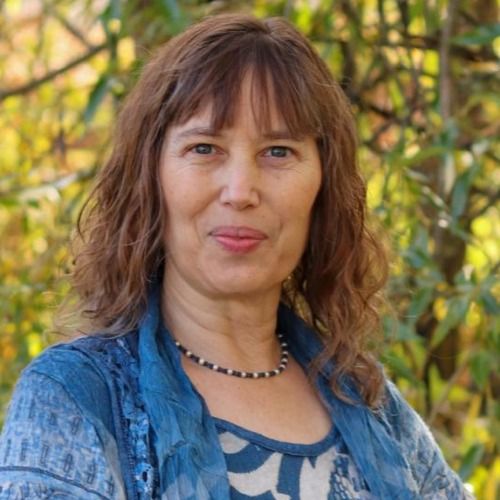
S3EP22-Boris Rudelson-Web Accessibility for Kids and Home Businesses
Educational websites and online tools are often a child’s first daily interaction with technology. When they aren’t built with accessibility in mind, kids with disabilities can get left out before they even start. Boris Rudelson joins us to share what families and small business owners need to know about web accessibility. Boris has been building websites since the 1990s, and over the past two years he has focused on accessibility after noticing a sharp rise in lawsuits against websites that don’t meet ADA standards. He walks us through the barriers he sees most often: aggressive color combinations, moving elements that can make visitors dizzy or nauseous, images without meaningful descriptions, and pages that don’t tell screen readers which language to read. For parents, Boris offers practical advice on checking a website before a child uses it, including clicking through links and buttons to make sure they lead where they should. When a site isn’t working for your child, he suggests reaching out to the owner directly, and we talk about why grace and communication go a long way. For home business owners, Boris shares simple steps to start with, like adding an accessibility statement with contact information, writing descriptive alternative text for meaningful images, and giving visitors a way to pause animations. He also explains why those popular accessibility widgets often hide problems instead of fixing them.
I published a children's book with my illustrations:
Silver Street Media: https://silverstreetmedia.com/products/whimsical-way?variant=51275018469666
Amazon: https://www.amazon.com/dp/1941573940
For those who have a website I offer a free website audit. General audit and ADA audit. The result is a report on my findings with recommendations how to handle it. For those, who do not have a website or wish to redesign a website I can offer a free demo of how I think the website should look like
Boris Rudelson is the founder of Abrys Consulting, a web development company he launched in 2004 to help small businesses build effective, professional websites. Over the past two years, he has focused his expertise on web accessibility, with a particular interest in how accessible design shapes learning for children with disabilities. Educational websites and tools are often a child's first daily interaction with technology, and when they aren't built accessibly, kids get left out before they even start. Boris completed and passed the Department of Homeland Security's course on WCAG (Web Content Accessibility Guidelines), deepening his technical grounding in accessibility standards and compliance. Through Abrys Consulting, he now works with schools, nonprofits, and small businesses to identify barriers on their websites and implement practical, affordable fixes, so every child, regardless of ability, can fully access the tools built to help them learn, grow, and thrive.
Bringing Education Home is an educational podcast brought to you by Kristina and Herb Heagh-Avritt.
If you enjoy the show, we'd love for you to leave a rating or review on your favorite podcast app!
Please let your friends know they can listen for free on Apple Podcasts, Spotify or their preferred podcast app or online at Bringing Education Home.
Sponsored by Vibrant Family Education - creating Happy, Healthy and Successful kids
Follow us on these socials:
Facebook Group - The Family Learning Circle
Facebook Business Page: Vibrant Family Education
Support Bringing Education Home
Copyright 2026 Kristina & Herb Heagh-Avritt
This podcast is hosted by Captivate, try it yourself for free.
We grabbed Boris Rudelson and let him walk us through the messy, beautiful world of web accessibility — and honestly, I loved how much practical sense he brought to the chaos. I talk and we joke about odd last names and web design pet peeves, but Boris quietly drops decades of website experience and accessibility credentials (yes, DHS and WCAG cert stuff) and suddenly we're all a little smarter. We unpacked why kids with disabilities get shut out before they even click: aggressive colors, moving elements that make people nauseous or dizzy, missing alt text, and websites that don’t tell screen readers what language a section is in. Spoiler: a pretty site isn’t automatically an accessible site. We also dug into the practical side so you don’t leave thinking "well that’s depressing." Key takeaways: add a clear accessibility statement with contact info (this shows good faith in court), don’t rely on those flashy accessibility widget buttons (they often just hide problems), provide descriptive alternative text for meaningful images, and give users ways to pause or stop animations. Boris was blunt about lawsuits and fines — they’re rising fast — but we balanced that with a big push for grace, communication, and common sense. Contact Boris via LinkedIn if you want a free high-level audit or a deep fix — we put his details in the show notes so you can actually do something about it instead of just cringing at your own website.
Transcript
I now have the pleasure of introducing Boris Rudelson.
opment company he launched in:Over the past two years, he has focused his expertise on web accessibility, with a particular interest in how accessible design shapes learning for children with disabilities.
Educational websites and tools are often a child's first daily interaction with technology.
And when they aren't built accessibly, kids get left out before they even start.
Boris completed and passed the Department of Homeland Security's course on WCAG Web Content Accessibility guidelines, deepening his technological backgrounding in accessibility standards and compliance through Aberus Consulting.
He now works with schools, non profits and small businesses to identify barriers on their websites and implement practical, affordable fixes so every child, regardless of ability, can fully access the tools built to help them learn, grow and thrive.
Welcome Boris.
It's a pleasure to have you here today.
Thank you so much for joining us.
Boris Rudelson:Thank you for having me and thank you for great job you did with Boris.
Pronouncing my last name and the, the, the long speech about my business.
Herb:Well, I did ask ahead of time and, and every once in a while it does still.
But, but yeah, thank you.
Kristina:And, and we understand about those last names because ours looks hard, but it's not that hard.
So everybody who's wondering, right, our funny last name is actually super easy.
It's hey, like hello and Averitt.
So it's hey, Averitt.
Super easy.
Even though you might not be able.
Herb:To pronounce it if you're looking at it, it's hard to pronounce it.
But yeah, I get it.
Kristina:But for us, what I really am excited to doing here is looking at because many of our families, especially our homeschool families have like home businesses and things like that.
So this is going to be super important for their information about those home businesses.
But also like you said about the kiddos websites, right?
All the parents who are working with their kids, especially, especially our kiddos with special needs, how to make sure a website is accessible for them, is available to them and in some ways make sure it's safe for them as well.
So this is going to be a.
Boris Rudelson:Wonderful conversation, not disturbing.
It's very important, especially for people with motion disability.
It's very, very hard things to look at websites where a lot of things moving around, dancing, jumping.
Sometimes I see a lot of websites and sometimes it's hard for me to see picture of traffic where small cars moving around the screen very fast.
And it's.
I'm getting nauseous without any disabilities.
And this is unfortunately big thing which most of web designers do not understand.
Kristina:Yeah.
Boris Rudelson:And do not realize there's certain like.
Herb:Color scheme font combinations that look really beautiful, but once they hit the screen, it's like I can't see them, I can't read them, it just blurs.
And I don't think I have a disability.
But yeah, there are certain web designs that look good, they're very artistic, but once you actually try and start working with them, they become inaccessible because again of weird color combinations like black, like black and blue.
Blue writing on black or black writing on blue.
It seems really pretty, but it just, it all blurs into just a mess for me.
Boris Rudelson:Yeah.
And plus to that, it's not only how you, you see the website, how you as a normal person, how you interact with websites.
It's for some people with disability, they do not use the regular browsers as other people.
They use screen readers.
And the websites must teach the screen reader how to read this website.
You will not see it, but it's behind the scene.
For example, if you have a website where you have different sections on different languages like English, Spanish, Russian, Ukrainian and other, you need to tell screen reader which language must be used in each section so that it's not guessing.
But read Russian and Russian and Ukrainian and Ukrainian.
Kristina:I hadn't even thought about that because as I'm, you know, I update my own website at times I do different things.
There's boxes that I skip because like, oh, well, I don't have to worry about that.
And you just clued me in.
It's like, oh my gosh, if I'm not telling it what to put put in those website in those boxes, it is going, yeah, any kind of special mobility reader or anything is going to have trouble with that.
Boris Rudelson:Yeah.
Kristina:So those and things are super important.
Boris Rudelson:Yeah.
Plus website should be well designed because if it's not, it's very hard for people with cognitive disability to understand what's happening in the websites.
What would happen if they click this link or that button?
It's very important.
Herb:How did you get involved with this?
What was the impetus?
What was the background?
What made you want to start working with the.
The how accessibility and how people with disabilities can access.
What.
What was the impetus for that?
Boris Rudelson:I do not have anybody in my family with disabilities and it was just a way how I decided that I will help small businesses.
So I do websites since last century.
I did a lot of websites and I talked to a lot of small businesses.
And at some point, like maybe two, two years ago, I noticed that a lot of lawsuits against websites appeared.
In: In:This year it's more than 6,000 in last month.
So it's, it's getting bigger and bigger and the requirements exist from 95 last century again and make me feel that old.
Yeah.
And the nobody enforce it right now.
They start enforce it.
Human Council, Humanity Services start talking about that.
Some states try to do legislation about that like Massachusetts, Illinois, California, they start talking about made all websites ADA compliant.
So it's, it's a big issue and I understand that because web designers do not know well this and do not pay enough attention.
I think that's where I can educate and can help both designers and businesses to have good websites.
Plus quarter of population of United States claim disabilities.
So if your website losing quarter, potential quarter of your visitors, it's may be big problem for health related businesses, for example, or education businesses.
Kristina:Yeah, yeah.
And that ADA compliance is really, really important.
Right.
Because a lot of us want that for us and for our children.
But if people aren't being successful in implementing it, then like you said, then there's the whole issue of when the state, when the federal government starts cracking down.
If you're a small business owner, it can not only disrupt your business, it can really.
You know, there you said there were some hefty fines and stuff, things that they're starting to put in for those people.
And if you're a parent looking at the website and you want to get it more accessible for you and your child, there has to be a way to get a hold of the people to let them know that something's not working.
So let's talk about that for just a second.
Let's put on the parent hat and say if a website's not working for you and your child, for the reader or whatever you're using to, you know, know, help them access it, what's one thing or two things that they can do before they, you know, go complain somewhere to contact the website owner and say hey, we need help with a,.
Boris Rudelson:B or C. Well you, the, the parent cannot do anything much about the website.
She or he needs to contact the business owner and talk to him or her and say that look, my, my child have this type of disability and she or he doesn't receive the information which he needs or cannot do your tasks or do not understand what will happen if he click this strange Button okay.
Well, it goes to some other place will be some changes on the website.
So everything should be predictable for them, especially for children, especially for children with disabilities.
So it's your or their responsibility as a parent to contact the owner of this business owner of this website.
Herb:So is it all websites have to do that or is it just government, business or contracted websites?
So because it's like if I'm just creating my own website and I don't feel that my content is appropriate for ADA people, do I still have to make it ADA compliant?
Boris Rudelson:Well, it's.
It's gray area again.
Massachusetts, for example, once they talk about make all businesses register in Massachusetts to have ADA compliant websites with big fines after $75,000 federal regulations.
Right now federal regulations talking only about organizations and state and federal websites and some big websites for employees more than 50 people or I believe health and humanity services require for medical practices with more than 15 or 16 practice providers.
So.
But HHS said that after May: Kristina:Wow.
Boris Rudelson:So.
But if a person with disability complain about your website, you will go to court no matter what federal says.
So you, you need to be careful with that.
Because if a person with disability was disturbing, but your website or he said that, she said that I cannot get as much information as people without disability, which I need.
And if she or he or their lawyer can prove that he needs it and he cannot get it, you will pay the settlement fee and you will have up to 20 days to fix your website.
Kristina:Okay.
Herb:Wow.
Kristina:That he.
Yeah, that's just like something that people have to be aware about.
Especially because so many small businesses are creating their own websites now with what's called vibe coding and different ways of creating websites or plugins.
Right.
You grab something and you put it in your website and if you don't know how it runs in the background, then you could be having these issues without even really knowing it.
Boris Rudelson:They do not know them because they do not know how to create websites and AI right now the tourists for creating bad website from ADA point of view, they do not know and they do not train well on that.
So be careful.
Another dangerous thing, there is a so called accessibility widgets that a lot of people put to their websites.
You probably see it as a circle with the guy with the arms.
Kristina:Yeah.
On telephones and things too.
Boris Rudelson:Yeah.
People put this to their website and think that their website is compliant and it is not.
It's just hiding the problem.
Does help for people with small disability like partial vision disability or partial hearing disability.
It doesn't help for people without vision at all because it doesn't fix the website and doesn't work with the screen readers.
They all widgets start working after the website is loaded and after the screen readers know what to do or do not know does know what to do.
Among 5,000 lawsuits last year for websites, more than one quarter of them for websites with disability widgets.
Herb:Wow.
Boris Rudelson:Another thing that I think every website must have right now is accessibility statement.
So most of the website have private policy, term of usage and other some documents.
But accessibility statement is another very important document which basically said that we are take it seriously and we do whatever possible to make our website accessible.
And if it's not, here is the phone number or email where to to inform us.
Kristina:Got it?
Yeah.
Parents who are looking for something that's not working try to look for one of those statements and find that contact information.
Right.
Nobody's trying to have their website not work for people.
Nobody's trying to make it hard for people.
And as the awareness is coming around, people need to be, you know, giving a little bit of grace.
It's like, you know, don't, don't go after them until you've at least tried.
Herb:To let them know something and how does they determine need?
So if I'm selling something non essential and it is like, and someone who wouldn't buy it anyway can't get to my site, do they need to be able to.
So where, where does the how, how, how is that need determined?
So I offer coaching services and I how does need turning?
There is no non essential item.
Boris Rudelson:There is no specific algorithm to find out if your websites need to be accessible or not.
If you guess, if you want to take your chances, you will not do anything.
If you do not want to guess, just create accessibility statement and you'll be almost protected.
Kristina:Got it?
Boris Rudelson:If you are thinking about protection, this is the best way because it shows to the judge that you care and you do and you provide a way for people to inform you that something is not working, something works incorrectly so that you can fix it.
Kristina:And that makes a lot of sense.
And that's helpful, right?
Because again, what, like I said, we're talking to the parents in the audience, but also the small business owners like the, the moms who are, you know, creating curriculum or the dads who are, you know, offering lawn mowing services on the side whenever they, you know, are helping to support their homeschool family.
So this is very important, important information.
Herb:Yeah, yeah.
Boris Rudelson:And this is more related to businesses that provide services, that provide products.
But still, I wouldn't recommend to guess.
Yeah, just put accessibility statement and then decide what to do with it next.
Kristina:Exactly.
Oh my gosh.
Cool.
So then what are some of the things that you see when you're doing like a web audit?
Right.
What are some of the things that are kind of like tripping people up or causing problems?
Herb mentioned at the beginning, sometimes the colors and things.
What other things should we kind of be watching out for that we can fix on our own and or can suggest if we're trying to help a website get.
Be more accessible?
Boris Rudelson:The biggest thing is alternative text for all pictures.
The major idea of accessibility is, is that all important information must be provided in several ways.
So if you cannot see the screen reader would read the alternative text to your pictures.
And if you put just file name for example, instead of meaningful text, screen reader will read this file name and the person will not understand why, what, what to do with that, what sort of information it gives.
So alternative text is important.
And it's not that every picture should have alternative text.
It's related only for those that have some meaning on the page.
Simple text, remove the picture.
Will it be meaningful website without this picture or not?
If it's just a decoration, forget about alternative text, just omit it.
If it really needs to be there, then it's need to have descriptive alternative text.
And the recommendation is avoid the words like photo, picture or something like that.
Because screen reader will say that this is picture and you need to explain that this is the house.
Victorian house, green walls, red roof, with trees around, something like that.
But it's.
It should be some meaningful, not very long like to 250 characters usually.
Kristina:Okay, got it.
So like my website that I put up for my virtual summits when I'm doing working with families and things like that.
If the banner has like the name of the summit and the times, would I just type that underneath that?
This picture is about the name?
Yeah, I would type the name.
Boris Rudelson:Well, for banners it's not.
For banners it's not required because right now the screen readers can read text which on the picture.
Kristina:Okay.
Boris Rudelson:It can recognize it.
But if you have like real estate agent, for example, you show their house which you want to sell, right.
And you need to put some description of this, this, how this picture.
Kristina:There we go.
That makes sense.
Yeah.
Okay, cool.
Boris Rudelson:What are the biggest issue for.
Herb:Oops.
Kristina:Go ahead, go ahead.
Boris Rudelson:There are several softwares which check websites for ada, not all of them do good job and none of them do full job.
But they give major.
They usually if you run for I use four or five of them and then merge the results altogether.
They usually find all major and big issues.
Kristina:What are some colors that you suggest don't use together?
Boris Rudelson:I wouldn't recommend to use aggressive colors like ultra magenta.
I got a call from a woman.
She.
She said, I'm a marketer for nonprofit organization.
We built a beautiful website, but it doesn't work.
And I spent like hour and a half explaining her why it doesn't work.
Starting with color scheme.
It was violet with magenta with pink and.
And the first wish when you open the screen, the first wish will was to close it because it's too aggressive and too disturbing.
Use color wheel.
It helps a lot.
Kristina:Yeah.
Boris Rudelson:Plus I personally do not like black websites for some reason.
There are many people who like black websites, especially women.
I don't know why I'm not sexist, but this is my notice that more women prefer black website than men.
And I just think that even dark gray is better than black.
Kristina:And you're talking the black background and then you're putting text on top of it.
Boris Rudelson:Yeah, yeah, yeah.
Herb:I don't like that either.
Kristina:No.
Yeah.
But now, now most computers have what's called dark mode and it like switches to that like automatically.
Sometimes it's like, no, I don't like that.
Yeah, yeah.
Another thing you were talking about was movement, right.
Because there is a lot of movement on websites and things like that and I've had vertigo and there is just some websites I can't even stand to be on because they are moving too much or the button will pop up and it'll sit there and it'll keep vibrating, it'll keep shaking.
And that just drives me absolutely nutty, partially because of my vertigo and partially because of my eyes.
So I mean, yeah, you need some of those things for attention sometimes.
But when they continue on and on.
Talk about that a little bit.
The different.
Boris Rudelson:Yeah.
According.
According to requirements, this type of things are not allowed.
But you have to have a way to stop them.
So you have.
If you have dancing button, there should be a way to stop dancing.
If you have gallery with moving images, you have to have a way either to slow down or to stop it completely and do it manually.
Kristina:Yeah.
And people aren't good with that timing.
Lots of times, you know, they don't sit and watch it a whole bunch.
So their things are going by too fast lots of times anyway.
Boris Rudelson:And actually accessibility widgets help with this one a little bit.
Kristina:Okay.
Yeah.
Boris Rudelson:To be fair.
Kristina:Yeah,.
Herb:I'm just, I just have them in a stubborn streak that I'm going through right at the moment and thinking man, now I want to put bouncy buttons and things running around.
Just a pa. Piss people off.
So.
Kristina:But then you won't get very many clients.
Boris Rudelson:How many, how many fines you want to pay for that?
Herb:See, and that's the part that really bugs me is that feels like an overreach of the government to me because we have freedom of association written into the Constitution and forcing, forcing that kind of a compliance seems to, to violate the part of my Constitution, Constitutional rights to freedom of speech and how I want to present things.
So from that aspect again I'm being triggered.
But as a businessman, yes.
I want my website to appeal to my clients.
If my clients aren't necessarily people with disabilities.
Being forced to create my website so that it helps people who aren't going to be my clients anyway seems to be an unnecessary burden forced on me by the government.
And so yeah, so again I'm just.
The way my brain works and being sometimes defiant which, which happens with, with because I hurt my head, brain damage things, things sometimes take me off and I can't let it go.
So I completely understand.
I, I agree that, that most of the time I actually want to be very helpful to people.
But being forced to.
Boris Rudelson:I know personally know a business that was closed because of that and the owner said that he will not do anything for people with disabilities because he doesn't care about them and the court decided to close his business.
Kristina:Yeah,.
Boris Rudelson:There is a case of that the problem the most problem is again with lawyers because lawyers file complaints and they, they proving that the person really was disturbed by this website and had to go to the doctor to pay expensive medication and so and so on.
So I would not recommend to try to, to fight with them.
It will be more expensive.
Kristina:Yeah, I get that.
Boris Rudelson:But, but definitely you can try to send that, that it's well, violation of your rights probably.
I don't know.
I am not a lawyer.
Kristina:But that's also why whenever we speak with families, whenever we have our podcast, we really advocate for self responsibility as well.
Right.
You do your best to make things work.
You do your best to contact the people or explain what's happening.
You know, you don't just automatically go after somebody.
There has to be a two way street.
Just like with parenting and communication.
If you just only tell your child what to do do and never explain anything.
They don't get it and they're gonna push back on you.
Right.
But if you can have that dialogue and that communication and explain things or get some help, that's the personal responsibility and that's what why we, you know, have you on the show is because like it's gotta be a two way street or else we're never gonna get anywhere in our society.
Boris Rudelson:Yeah.
And that exactly why I recommend to have accessibility statement.
Herb:Yeah, yeah, yeah.
See like my coaching, you have to be able to see and work with, work with your eyes in your hands.
And so if you can't see, then you can't, you can't become my client because you can't actually, you, you can't do the process that I teach.
So it's like, but if my website isn't available to blind people who couldn't do what I do anyway, I could still get in trouble for that.
Boris Rudelson:I cannot tell you that.
Herb:But that's, that's kind.
Okay, but that's kind of where it's going, it sounds like.
So that's, that's very interesting.
Boris Rudelson:ADA requirements a little bit gray area because they said that if the requirements contradict the nature of the website or the nature of you are doing, then you don't have to do that.
Okay.
So that's probably answer your question.
Herb:I'm not that guy.
I'm, I, I try and be very.
Kristina:Weavened over backwards to try to help everybody get things done.
Herb:But yeah, I have this oppositional defiant disorder where it's like someone tells me what to do, it's like no, yeah.
But you know, I, I want to be helpful.
Yeah, that's very, that's very, very interesting.
Kristina:Yeah, exactly.
Boris Rudelson:Yeah.
And it's very important for health related businesses and services because you do not know what type of person will come to you.
Kristina:So can we go into security a little bit?
Right.
Because if we're talking about children, parents put children on websites, right.
We know that they have to be compliant and easy for the kids to access as well.
But what about some of the security things?
Is there things that can be done either from the parents, you know, logging the kids in or something that can help secure and make sure the kids can't like get off the website and go somewhere else where they're not supposed to or things like, like that.
Can you tell us a little bit about some of that?
Boris Rudelson:Well, there are no such regulations, but I definitely recommend any parents who have kids with disability to check the website first.
Kristina:Okay.
Yeah.
Boris Rudelson:Before entering them because again, you don't know which type of disability or which type of problem this website might have.
My niece, I have a very sensitive story.
My niece has fear of berries.
She just fear she afraid of berries.
It's very rare.
But some kids are and her mother is going to all birthday parties, to all fairs, to everywhere where she supposed to appeared.
And check that there is no berries there.
Same with website.
If you know that your kid will be triggered by motion or some kind of pictures or some kind of text, check the site first and then allow disallow him to go there.
Same with links.
A lot of website has a lot of links.
Click on links, check that they goes to the places where you want your kid to go.
Kristina:Yeah.
Boris Rudelson:Right now there are new type of.
Which replace links and you think that you go to the some decent link and you appear on the dating page or.
Herb:Right.
Boris Rudelson:Something worse than that.
So check holdings and check all buttons that they go where they supposed to go.
Kristina:Yeah, and that's so important.
And again it goes back to that personal responsibility.
Parents are incumbent.
It's up to them to protect their children.
And they really need to check these things out before they put their kiddos on something.
I mean, you know, the school district is the same way.
If we're going to suggest a website to any family or any child, the teacher has to check it out before they can suggest that site.
Boris Rudelson:Absolutely.
Yeah.
Kristina:There's.
There's free sites out there all the time.
But why are they free?
Because they usually add advertisers or extra links or things like that on them that you take you someplace else.
So you really have to be careful.
Yeah, yeah, yeah.
Boris Rudelson:And again, it's not something this idea stuff and accessibility, it's not something that just created to make your life miserable.
Kristina:Right.
Boris Rudelson:It's logical.
And there is, there is real people and there is real experience behind each regulation and behind each requirements.
Herb:Well, it kind of starts out that way, but sometimes it's taken advantage of.
Kristina:Right?
Herb:Yeah.
Kristina:And that, that's just society, unfortunately.
Yeah, exactly.
Awesome.
So Boris, when we started talking about all this, did you have something written down on the side that we haven't talked about yet that you wanted to mention or that you really wanted people to be aware of?
Is there something else that you wanted to make sure we talked about today?
Boris Rudelson:I think we will cover most important things.
Be aware of accessibility, widgets.
And you use the websites responsibly, then you will not have troubles from both sides, both site owners and site visitors.
You there responsibly.
It's.
It's a face of the Business and it's.
You need to take care of it so that it will be good face of your business.
Kristina:Exactly.
Yeah.
So all, all of us, all the home business people, right as you're making your site and your landing pages and things like that, that check things out, all the small business owners, you know, do do the best for you and your community and, and at least check things out.
And like you were saying, the biggest thing is having that ADA statement saying that you are aware and you are.
Boris Rudelson:Going to try to fix accessibility statement.
Kristina:Yeah, yeah, exactly.
Boris Rudelson:And I offer free website audits.
High level website audits or deep website audits.
Deep websites.
So it's very affordable.
I charge $500 for that.
And if you want peace of mind, you can pay that and you'll be lucky.
Kristina:Beautiful.
Yeah.
I was just going to ask.
Of course everything is down in the show notes but how do people get a hold of you to either a ask you a question or have you look at their website, things like that.
What's the best way.
Boris Rudelson:I'm on LinkedIn.
Kristina:Okay.
Boris Rudelson:There is only one Boris Rudolfson on LinkedIn.
Plus on this banner I have website, it has all the information, it has my phone number.
So anyways it's good.
So LinkedIn is easiest way to find.
Herb:Me and that will all be down in the show notes.
So if you're listening to this and you're not actually seeing it then look at check in the show notes and you'll be able to find all of his contact details information.
Kristina:Yeah, exactly.
Awesome.
Boris Rudelson:And the screen reader will read it for you.
Herb:Right on.
Kristina:And the screen reader.
Awesome.
I love that.
That is beautiful.
Thank you so very much, Boris.
All right.
I am, yeah, I think I am good here.
I think we've covered pretty much everything and I asked you if you anything else.
So thank you for being here.
Thank you for bringing this awareness because.
Because that's one of the biggest tenants of our show is bringing education home is how can we educate families.
How can we help them move through our society and with our children in a way that helps them and their families move forward.
So thank you for being here and thank you for sharing this awareness and this needed conversation for websites and things especially like you said, as different government agencies are starting to either a crack down on it or be put more, you know, rules in place to make sure that things are getting done.
Thank you.
Herb:Yes.
And I would like to thank you as well because it's like I didn't think about this and this would have like again I oppositional Defiance, I kind of almost irritates me.
So don't let that affect you.
Make sure that you are compliant.
Make sure that you are doing what you need to do so that you can continue your business and that this information needs to get out there more.
So thank you for bringing that out.
And even though it's like, for me, it's like, this is really good, and you're doing something very important, and I'm sure that when you talk to people, other people are gonna get angry, but you laugh and you move and you take it on and you make it reachable for people.
So thank you for what you do that it's so important what you are doing.
And, and yes, I, I.
So, yeah, that actually, again, you're doing stuff that's uncomfortable, and a lot of people don't do that.
And that makes you basically a hero.
You out fight the dragon, you bring the information home and you share it.
And so, yeah, you're doing the hard work and informing people, and that's what a hero does.
So thank you very much.
Boris Rudelson:And this also thank you for having me because this, this is really important issue and people do not know about it.
A lot of I talk to a lot of people through different networking, and some of them haven't heard about accessibility.
It's completely new concept for a lot of people.
And if you don't know it, how you will fix it.
Kristina:Yeah.
And this also just brought up something to me is like, because so many of our young people are wanting to be in technology and building websites and things like that, this is an important conversation to have with your young entrepreneur.
Right.
If you are having a child, a young person in your life who wants to do this stuff, this is the conversation they need to have as well to be protected in their future.
So, parents, do your due diligence and help those kiddos out as well.
All right, audience, it has been a wonderful show.
Thank you again, Boris, for being.
Being here.
Thank you, audience, for listening, sharing this with those people who need this information.
As always, bringing education is here for you, your family, your family, education, your child's education.
And thank you for being here.
Herb:Yep.
And if you do share it, make sure you leave a comment that increases our engagement and it sends it to more people than just the person you're sharing with.
So again, you know, like, share, subscribe, and, you know, just leave a comment for Boris here, tell him how great a job he's doing, and then this gets out to more people as well.
So thank you for being here.
Kristina:All right, audience, until next time.
Bye for now.